
- BetterTracker vs. Augmentt
The Augmentt Alternative for Client Spend and Contracts
Augmentt is a Microsoft 365 security and management platform for MSPs, with license usage reporting and shadow IT discovery. If you want an Augmentt alternative focused on what clients spend and when contracts renew, BetterTracker connects bank accounts through Plaid, tracks notice dates, and uses Betty AI to find savings across every client.
Free for 14 days. No credit card required.
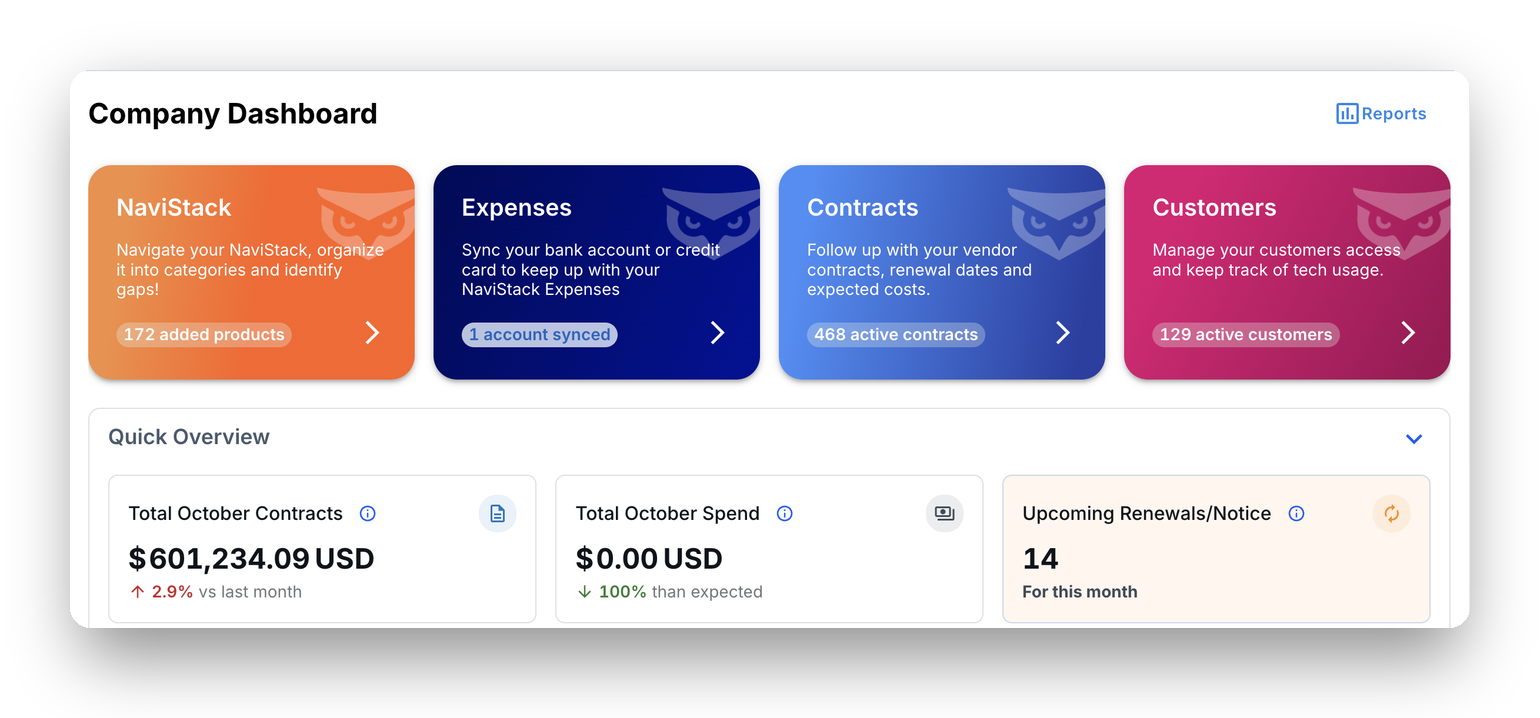
Why MSPs switch to BetterTracker
Spend, not just apps
See every recurring charge through Plaid, including the subscriptions nobody installed on a workstation.
Contracts without the spreadsheets
Upload contracts with AI-powered OCR or import them in bulk from a CSV file, and get alerts before each notice period closes.
Built for MSPs of any size
There’s no user minimum, so you can run it on your own business first, then roll it out to clients.
What Augmentt does well
Augmentt helps MSPs secure and manage Microsoft 365 across tenants, with security baselines, MFA reporting, multi-tenant license usage reporting, shadow IT and shadow AI discovery, and an AI Risk Report that shows whether a client tenant is ready for Microsoft 365 Copilot and what Copilot could expose. It’s billed per user.
Where MSPs see a gap
License counts and app discovery don’t show what a client pays across all their vendors, or which contract auto-renews next month. Contract and renewal tracking isn’t listed on Augmentt’s public feature pages as of October 2026.
BetterTracker vs Augmentt
Last updated October 2026| Feature | BetterTracker | Augmentt |
|---|---|---|
| Primary focus | Client software spend, contracts and unused licenses | Microsoft 365 security and management |
| Spend data | Financial accounts through Plaid, including non-software business expenses | License-level cost and usage views |
| Contracts and renewals | ContractTracker with AI-powered OCR and notice-period alerts | Not listed on its public feature pages (Oct 2026) |
| Microsoft 365 licenses | BetterTracker 365 Scout finds unused or over-provisioned Microsoft 365 licenses (connects with Login with Microsoft) | Multi-tenant license usage and 90-day deltas |
| Shadow IT and AI | Google Scout shows OAuth-connected apps, and ExpenseTracker shows paid apps | Discover module for shadow IT and shadow AI |
| Copilot | Unused license visibility through BetterTracker 365 Scout | Copilot readiness and data-exposure reporting (AI Risk Report, included with Secure), plus Copilot DLP policies across client tenants |
| Security baselines and MFA | Not the focus | Core strength |
| AI | Betty AI, your AI agent for savings and unused apps | AI Risk Report |
Where BetterTracker is different
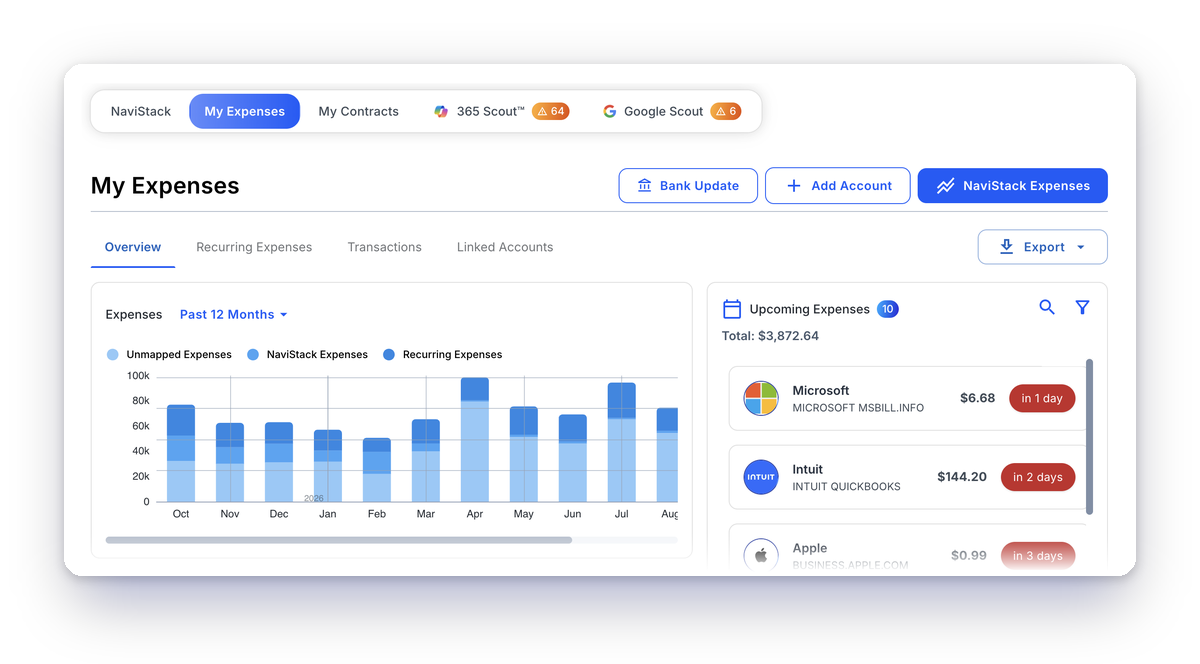
You see the spend, not just the app
ExpenseTracker connects bank and card accounts through Plaid, so subscriptions paid outside single sign-on show up next to the apps you already know about.
Use them together or on their own
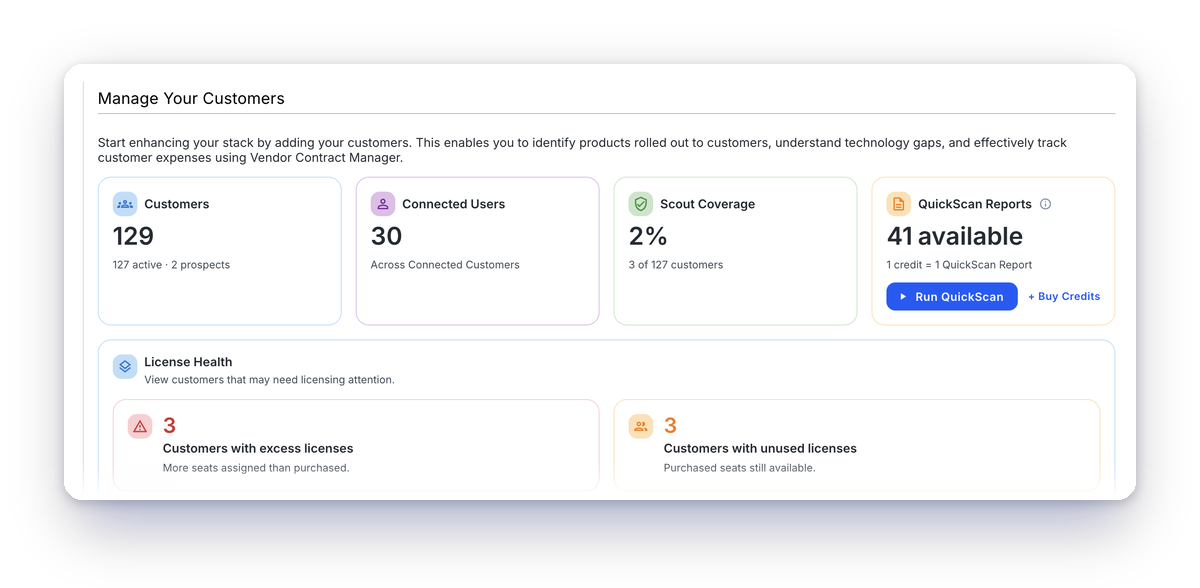
You can keep your Microsoft 365 security tool and add BetterTracker for the money side. CustomerTracker shows every client’s apps, contracts and spend in one place, so savings reviews become a service you can sell. Stepping Forward Technology surfaced 102 hidden apps with BetterTracker.
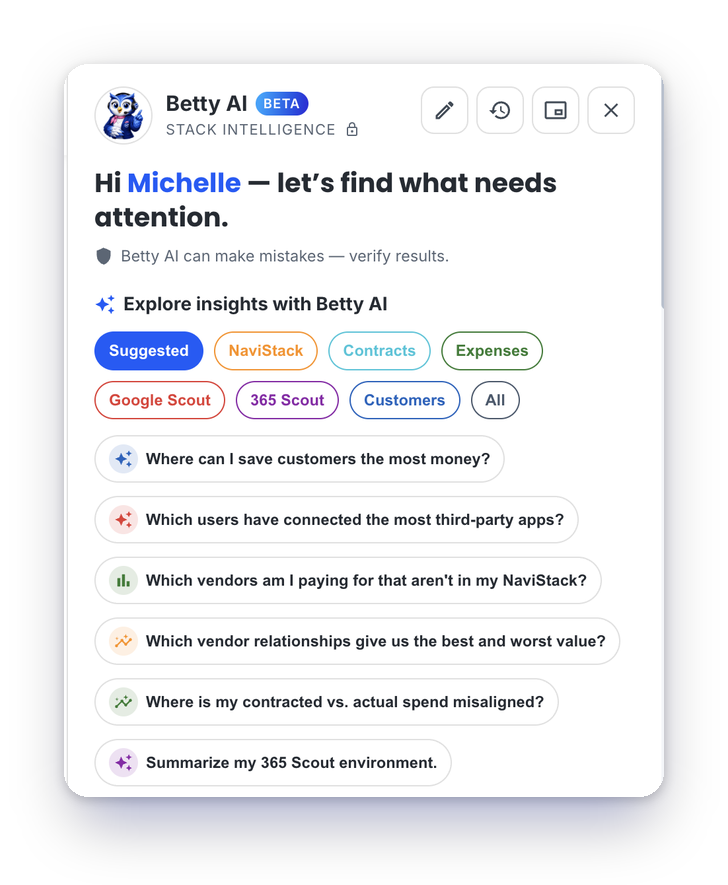
Betty AI answers the questions your clients ask
Betty AI, your AI agent, quickly identifies savings, gaps, redundancies and unused apps across your clients’ environments. Ask what a client spends on a category, which licenses go unused, or what renews next month, and you’ll have the answer ready for the QBR.
Free for 14 days. No credit card required.
Frequently Asked Questions
Does Augmentt track SaaS renewals?
As of October 2026, contract and renewal tracking isn’t listed on Augmentt’s public feature pages. BetterTracker’s ContractTracker tracks every renewal date and notice period and reminds the right owner before the window closes.
Does Augmentt have license usage reporting?
Yes. Augmentt reports Microsoft license usage across tenants, including licenses owned versus assigned. BetterTracker 365 Scout also finds unused or over-provisioned Microsoft 365 licenses, and BetterTracker adds bank-level spend and contracts.
Can I use BetterTracker and Augmentt together?
Yes. Augmentt focuses on Microsoft 365 security, and BetterTracker focuses on spend, contracts and unused licenses, so you can run both.
Is SaaS Alerts a SaaS management tool?
SaaS Alerts is positioned as SaaS security monitoring for MSPs. It watches activity and threats rather than spend or contracts, so it doesn’t replace a spend management platform like BetterTracker.
Can smaller MSPs use BetterTracker?
Yes. There’s no user minimum, and MSP plans start at $3,591 a year for up to 10 client environments. You can run it on your own business first.
Related comparisons: Auvik SaaS Management alternative · Josys alternative
See Every Client’s Spend in One Place
Free for 14 days. No credit card required.
Competitor details reflect publicly available information as of October 2026 and may change. Product names belong to their owners.
